
Installation Guide
How your Morocco eSIM works
Complete instructions from purchase to connecting on arrival in Morocco.
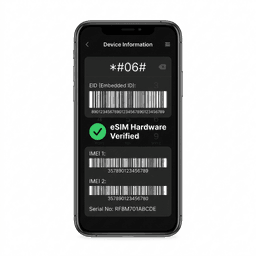
Before you start
- Confirm the phone supports eSIM
- Confirm it is not locked to your current carrier
- Use an email address you can open while travelling
- 1
Choose a plan

Compare fixed trip allowances and daily high-speed plans. Each page shows the full one-time price, validity, network, and when validity starts.
- 2
Pay securely with PayPal
Enter your email on this site, then use PayPal Checkout. PayPal may also offer an eligible debit or credit card option. Payment details are not stored by Get Morocco eSIM.
- 3
Open your private order page

After payment verification, the page shows provisioning progress. When ready, it displays a QR code and manual SM-DP+ installation details.
- 4
Install at the right time
Read the activation trigger shown on your selected plan. If eSIM Access has not supplied one, contact support before installing.
- 5
Use the eSIM for mobile data

Select the Morocco eSIM as your cellular-data line. Keep data roaming disabled on your home SIM to avoid charges from your usual carrier.
Many eSIM profiles can only be installed once. If setup fails, keep the profile on your phone and contact support with your order number.
Need device-specific steps? See our iPhone installation guide, Android installation guide, and installation timing guide.
See current data amounts, validity, activation timing, and prices.